Friday, October 7, 2011

K-Lite Codec Pack Full 7.8

K-Lite Codec Pack Full 7.8.0
K-Lite Codec Pack Full 7.8.0 | 15.81 MB

K-Lite Codec Pack is a collection of codecs and related tools. Codec is short for Compressor-Decompressor. Codecs are needed for encoding and decoding (playing) audio and video. The K-Lite Codec Pack is designed as a user-friendly solution for playing all your movie files. With the K-Lite Codec Pack you should be able to play all the popular movie formats and even some rare formats.

The K-Lite Codec Pack has a couple of major advantages compared to other codec packs:

* It it always very up-to-date with the latest versions of the codecs.
* It is very user-friendly and the installation is fully customizable, meaning that you can install only those components that you really want.
* It has been very well tested, so that the package doesn?t contain any conflicting codecs.
* It is a very complete package, containing everything you need to play your movies.

This Full Pack contains even more codecs. It also has encoding support for various formats. This package is for power users and people who do their own encodings

K-Lite Codec Pack Full:

Player:

* Media Player Classic Home Cinema 1.3.2086
* Media Player Classic Home Cinema 1.2.1008.0 - This is a full-featured player with many options and useful functionality. It has internal filters for opening various container formats such as MP4, Matroska, FLV and Ogg. It is also capable of playing QuickTime and RealMedia content if those frameworks are installed. The Home Cinema version has internal DXVA decoders for H.264 and VC-1 video.

ffdshow:

* fdshow
* ffdshow VFW interface

DirectShow video decoding filters:

* XviD
* DivX H.264
* On2 VP7
* WebM VP8
* MPEG-2 (Cyberlink)

DirectShow audio decoding filters:

* AC3/DTS/LPCM/MP1/MP2 (AC3Filter)
* Vorbis (CoreVorbis)
* AAC (MONOGRAM)

DirectShow audio parsers:

* FLAC (madFLAC)
* WavPack (CoreWavPack)
* MusePack (MONOGRAM)
* Monkey's Audio (DCoder)
* OptimFROG (RadLight)
* AMR (MONOGRAM)
* DC-Bass Source
* AC3/DTS Source (AC3File)

DirectShow source filters:

* Haali Media Splitter
* AVI splitter (Gabest)
* MP4 splitter (Gabest)
* Matroska splitter (Gabest)
* Ogg splitter (Gabest)
* MPEG PS/TS splitter
* FLV splitter (Gabest)
* CDXA Reader (Gabest)

DirectShow subtitle filter:

* DirectVobSub (a.k.a. VSFilter)

Other filters:

* Haali Video Renderer

VFW video codecs:

* XviD
* On2 VP7
* huffyuv
* YV12 (Helix)

ACM audio codecs:

* MP3 (LAME)
* AC3ACM

Tools:

* Codec Tweak Tool
* Win7DSFilterTweaker
* MediaInfo Lite
* VobSubStrip
* GraphStudio
* Haali Muxer
* Bitrate Calculator.

1CLICK DVD Copy

1CLICK DVD Copy Pro 4.2.7.1

1CLICK DVD Copy Pro 4.2.7.1 | 6.8 Mb

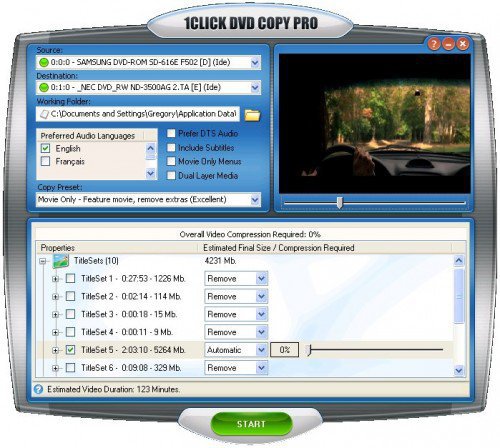
1CLICK DVD COPY - PRO™ is a fast, easy-to-use, full featured software for copying DVD movies onto DVD discs. The latest version now incorporates CPRx™ technology to ensure the highest level of success copying the latest generation of DVD movies. You now have complete control over the final copy. Use the Copy Presets™ or the more advanced features to select what content will be copied and how much compression will be used. With 1CLICK DVD COPY - PRO, you can make a perfect copy with just one click.


In order to copy a DVD which has been authored using these new schemes, 1CLICK DVD COPY now utilizes state of the art CPRx technology to ensure the highest level of success when making an archival backup. Just as we've become accustomed to relying on anti-virus software to keep us protected against the latest viruses, we must also rely on new updates of CPRx to ensure we can copy the latest DVD releases. With 1CLICK's update notification feature, you can rest assured that you will be notified every time a new version of the software is available.

Features of 1Click DVD Copy Pro :
• Windows Vista Compatible
• CPRx™ technology for copying new DVD movies.
• Copy Presets™ - One click preset for each type of DVD copy.
• Preview the movie, extras and menus.
• Include or exclude movie and menus based on preview.
• Select individual audio, video, and subtitles streams.
• Control the amount of video compression used.
• Make additional backup copies without re-copying the DVD.
• Copy Episodic DVD Movies, TV Series, etc.
• Copy a movie to your hard drive - great for laptops.
• Supports copying of Multi-Channel Audio (Dolby Digital 5.1, DTS).
• Supports both NTSC and PAL DVD movies.
• Supports Dual Layer media.
• Free software updates and technical support for a year.


Home Page - http://www.lgsoftwareinnovations.com

LivePIM DesktopMirror Suite

LivePIM DesktopMirror Suite 4.0.1401

LivePIM DesktopMirror Suite 4.0.1401 | 10.6 MB

DesktopMirror Suite is an all-in-one software package that lets you synchronize Contact, Calendar, Task and Notes information between Outlook, Google, Lotus Notes, Sage ACT! and Palm Desktop.


There are 10 components in this all-in-one DesktopMirror Suite package:
-Outlook Palm Desktop Sync – DesktopMirror for Outlook and Palm Desktop.
-Outlook Google Sync – DesktopMirror for Outlook and Google.
-Google Palm Desktop Sync – DesktopMirror for Google and Palm Desktop.
- Outlook ACT! Sync – DesktopMirror for Outlook and ACT!.
- Palm Desktop ACT! Sync – DesktopMirror for ACT! and Palm Desktop.
- Google ACT! Sync – DesktopMirror for Google and ACT!.
- Outlook Lotus Notes Sync – DesktopMirror for Outlook and Lotus Notes.
- Lotus Notes Palm Desktop Sync – DesktopMirror for Lotus Notes and Palm Desktop.
- Lotus Notes ACT! Sync – DesktopMirror for Lotus Notes and ACT!.
- Lotus Notes Google Sync – DesktopMirror for Lotus Notes and Google


Home Page - http://www.livepim.com

Mosek Optimization Tools

Mosek Optimization Tools v6.0.0.122 (x86/x64)

Mosek Optimization Tools v6.0.0.122 (x86/x64) | 46/48 MB

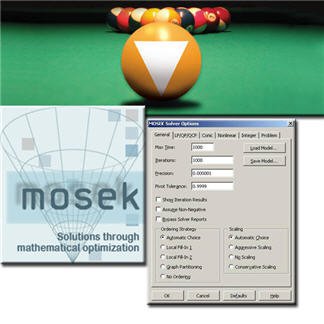
The MOSEK Optimization Software is designed to solve large-scale mathematical optimization problems. MOSEK provides specialized solvers for linear programming, mixed integer programming and many types of nonlinear convex optimization problems.

Problem types MOSEK can solve:
• Linear problems.
• Conic quadratic problems.
• Quadratic and quadratically constrained problems.
• General convex nonlinear problems.
• Mixed integer linear, conic and quadratic problems.

Technical highlights of MOSEK are:
• Problem size is only limited by the available memory.
• An interior-point optimizer with basis identification.
• Both primal and dual simplex optimizers for linear programming.
• Highly efficient presolve for reducing problem size before optimization.
• A special optimizer is available for problems with network flow structure.
• For mixed integer problems MOSEK implements a branch & bound & cut algorithm.

Parallel capabilities:
• The interior-point optimizer is capable of exploiting multiple CPUs/cores.
• A concurrent optimizer is available that makes it possible to solve one problem with different optimizers simultaneously.

Other features of MOSEK:
• Reads and writes industry standard formats such as MPS, LP and XML.
• Includes tools for infeasibility diagnosis and repair.
• Sensitivity analysis for linear problems.

Deployment of MOSEK
• The MOSEK optimizer comes with native support for many different programming languages. Click below for details.
• C/C++.
• Command line tool capable of reading and writing standard text files.
• Java.
• MATLAB Toolbox.
• .NET (C#/Visual basic).
• Python.


Home Page - http://www.mosek.com

Industrial Theme For Window 7

Industrial Theme For Window 7 (x86/x64)
OS : Windows 7 | Year : 2011 | 9.5 MB


Theme includes -

Industrial Theme Installer.

System files (32bit x86).
gameux.dll
shellbrd.dll
taskmgr
timedate.cpl
winSATAPI.dll

Tools.
Icon restore
Take ownership context menu addition
Theme resource changer

Install theme resource changer then apply the theme and the startorb, navigation buttons and the control panal panes will get applied automatically.

Saturday, October 1, 2011

Veronisoft IP Monitor

Veronisoft IP Monitor 1.4.1.5

Veronisoft IP Monitor 1.4.1.5 | 1.96 Mb

IP Monitor is a network monitoring software that allows you to verify the network connectivity of TCP/IP hosts on the Internet and LAN. The program periodically pings, or checks TCP ports on user specified computers or other network devices. Tool to lookup and find IP address and Host name information in the DNS (Domain Name System).

How to obtain full version IP Monitor.
Programs, which you can download from our site is a trial version. With the trial version, you can use for 15 days. If you want, use IP Monitor without limitation, you must buy License Key. Two types of license we provide for this software: A Single License is valid for a single person who uses the software personally on one or more computers (e.g. work PC, home PC, notebook, etc.), or it can be installed on one computer used non-simultaneously by multiple people. A Site License grants an organization rights to install and use the software on an unlimited number of computers within one organization site (e.g. an office or data center located at a single physical address).

System requirements.
IP Monitor require administrator privileges. For correct usage of IP Monitor you need to be connected to network with the correct configuration network. Ports which are checked with TCP Connect method cannot be protected (cleaned) with firewall.

How to work with IP Monitor?
Work with IP Monitor is very easy. Application main Dialog Box consist of left and right side boxes.

Left side corner is for moving and rotating the window. For rotation you need click on the incomplete circle on the top of the corner. Right side contains boxes. Each box is a connected to a IP. You can also change all these attributes: text, color, pictures and background color for both states .

Box Menu.
You can delete and add new boxes by right-mouse-click on choosen box. There you will see a menu which consist of: New Box, Edit Box, Delete Box.

New Box add new box, which will be connected with some IP in network. When you click on the box it will show focus. Focus, means that the box is bordered with white dashed-line. When you choose Delete Box, you can delete the box. When you choose New Box, it will create a new Box. Each box will appear on the right side.If you choose New Box or Edit Box it will show a window of Box Properties with some changes that Edit Box will edit values of existing boxes. Values are filled in and you can change it.

New Box or Edit Box.
In New Box or Edit Box you can set Skin wich are graphic image of Boxes. These boxes are user define. User can change: picture, background color, color of text. Setting of background color of boxes, which sets the background color of boxes when verify IP is online or offline. Pictures in New Box or Edit Box you can change with button Pictures. You can change picture for each status. Box text means the text in which you can see below the picture. Text will be without change for both states (online and offline) within it you can change text color.Text color of bouth states you can change with buttons Text Color. Most important is the net setting, must contain address of PC which you want check. Address must be IPv4 addresses of Computer, domain addresses or names of PC's in Microsoft Network sharing files and printers. The TCP Connect method we are using when we want verify TCP services like Web Server (port 80), POP Server (port 110) and so on. We can use it also when ICMP protocol is forbidden on remote computers but remote computer has accessible port in WINDOWS Vista it is port 135. With Play Sound can make alert when verify remote computer is OnLine or OffLine. You can also test the sound pressing the button Test Sound.

System tray menu settings.
System tray menu settings you can open by clicking on the icon in System Tray. It opens menu where you will see next items. About, Help, Always Top, Normal, Always Bottom, Hide, Show, Properties and Close. Close will close application. Always Top window will be always on top. Normal window will be normal when you click on it or system tray icon window will be on top. Always Bottom window will be always bottom under windows. Hide window will be hidden. Show window will show on desktop. Properties will show box Properties with other settings.

Properties.
Properties consist of set Boxes, properties ICMP and TCP protocols and write to the registers. Set box Width and Height set width and height of all boxes. Net Setup set properties of net. Verify Time set time of verify, Time out is ping and TCP Connect time out. Last check box is Run on start up. This option will always start IP Monitor when your MS Windows starts.

Home Page - http://veronisoft.hostei.com/

Download links:

Download from FileSonic

Skype 5.6

Skype 5.6.0.105 Final
Skype 5.6.0.105 Final | 24.46 MB

We all love something for nothing. With Skype’s free software – by the way, it works seamlessly with your internet connection – you can chat away with free Skype-to-Skype calls and never worry about cost, time or distance. Share the love and get your friends to download Skype so you can talk, instant message (IM) or make video calls for nothing. You can also make local, long distance and international